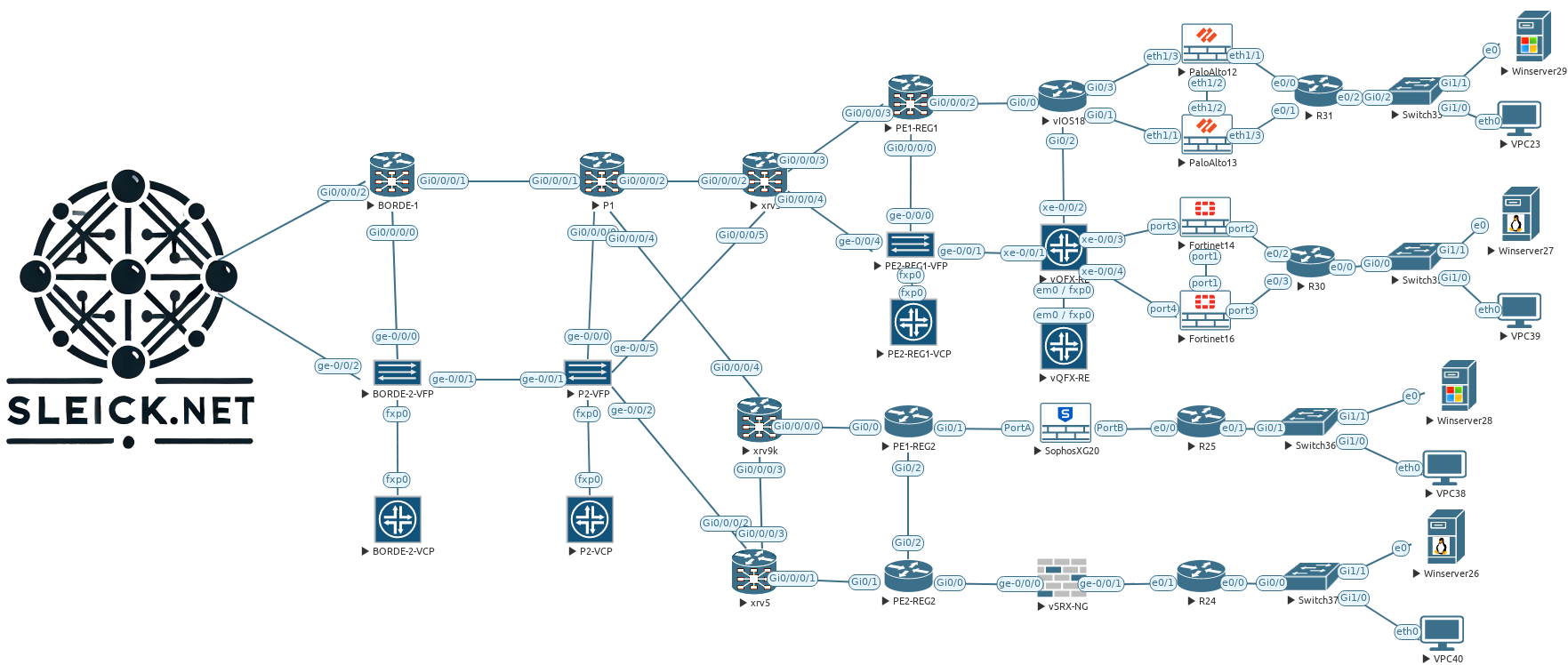
In the two previous posts, I configured three Managers and two Orchestrator devices, now is time to bring up three new Controllers (vSmart for friends) to our environment. Adding these three devices we will have a full entire SD-WAN environment in HA mode from almost all the point of view, probably our weakest point is still our three Managers under the same datacenter, but that is something that I will try to address later on another future post.
As we might know, the controller is in charge of the control plane in our SD-WAN environment working quite similar of how a route reflector will work, but with more capabilities like the applications of policies, distribute prefixes using OMP, enhanced security and so on, basically it works like the brain for our SD-WAN platform. As we have been doing in the previous post, all three Controllers will be deployed in different locations, as you can see highlighted in red below, this will bring us a geo-redundancy solution to our HA solution.
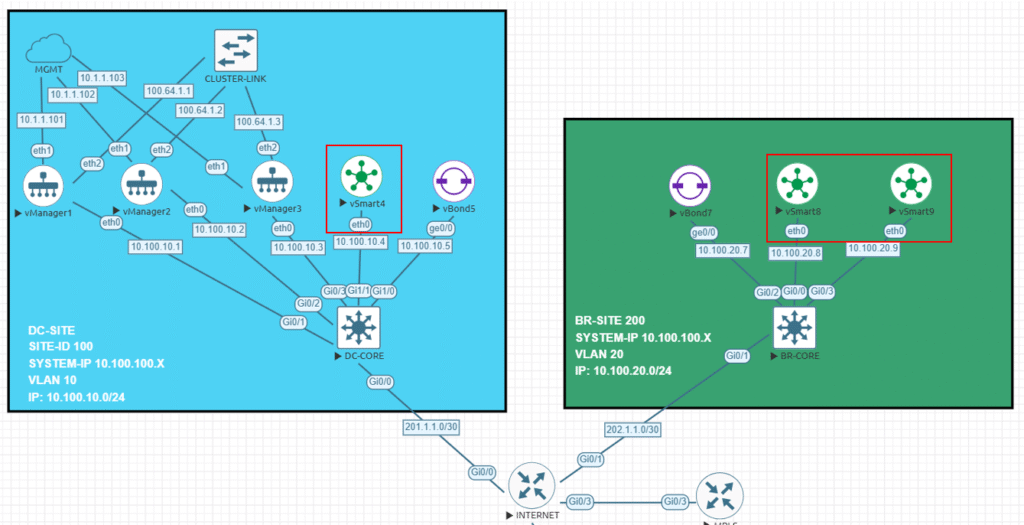
Now, going back to our lab here we will be adding three Controller who will be working together in HA mode having DTLS/TLS connections to each device in our environment, also they will establish a full mech connections to exchange everything related to our environment, as a summary our Controller will establish the following connections:
Controller > Controllers = One connections to each Controller building a full mech topology.
Controller > Orchestrator = Two permanent connection to each Orchestrator.
Controller > Manager = One permanent connection to each
Controller > Edges = Edges will form DTLS/TLS connection with only two Controller by default. One OMP session regardless the number of connections allowed.
I will add two more settings to this deployment in order to have a real (almost I guess) HA Controller environment, therefore I will add the Controller Groups as well as the Controller Affinity features to this deployment, this will help us to control which Controller will be used by our Edges in our SD-WAN environment, but probably I will ended doing this on my next post to put focus on the configurations and the verifications on this one.
About the configurations that I will apply to all three Controllers I could said all of them are pretty standard and they do not have anything specific from the HA point of view.
vSmart4
system
 host-name             vSmart4
 system-ip             10.100.100.4
 site-id               100
 admin-tech-on-failure
 no vrrp-advt-with-phymac
 sp-organization-name  sleick
 organization-name     sleick
 vbond vbond.sleick.net
!
vpn 0
 dns 10.255.255.1 primary
 interface eth0
  ip address 10.100.10.4/24
  ipv6 dhcp-client
  tunnel-interface
   allow-service all
   allow-service dhcp
   allow-service dns
   allow-service icmp
   no allow-service sshd
   allow-service netconf
   no allow-service ntp
   no allow-service stun
  !
  no shutdown
 !
 ip route 0.0.0.0/0 10.100.10.254
vSmart8
system
 host-name             vSmart8
 system-ip             10.100.100.8
 site-id               200
 admin-tech-on-failure
 no vrrp-advt-with-phymac
 sp-organization-name  sleick
 organization-name     sleick
 vbond vbond.sleick.net
!
vpn 0
 dns 10.255.255.1 primary
 interface eth0
  ip address 10.100.20.8/24
  ipv6 dhcp-client
  tunnel-interface
   allow-service all
   allow-service dhcp
   allow-service dns
   allow-service icmp
   no allow-service sshd
   allow-service netconf
   no allow-service ntp
   no allow-service stun
  !
  no shutdown
 !
 ip route 0.0.0.0/0 10.100.20.254
!
vSmart9
system
 host-name             vSmart9
 system-ip             10.100.100.9
 site-id               200
 admin-tech-on-failure
 no vrrp-advt-with-phymac
 sp-organization-name  sleick
 organization-name     sleick
 vbond vbond.sleick.net
!
vpn 0
 dns 10.255.255.1 primary
 interface eth0
  ip address 10.100.20.9/24
  ipv6 dhcp-client
  tunnel-interface
   allow-service all
   allow-service dhcp
   allow-service dns
   allow-service icmp
   no allow-service sshd
   allow-service netconf
   no allow-service ntp
   no allow-service stun
  !
  no shutdown
 !
 ip route 0.0.0.0/0 10.100.20.254
!
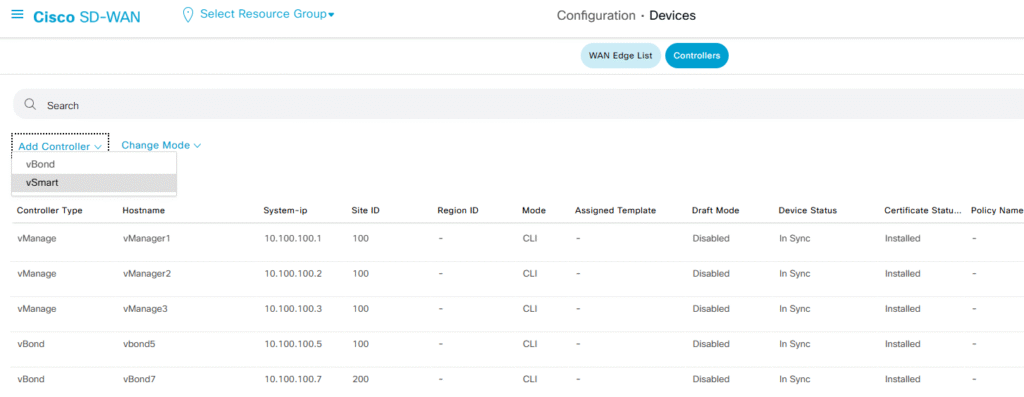
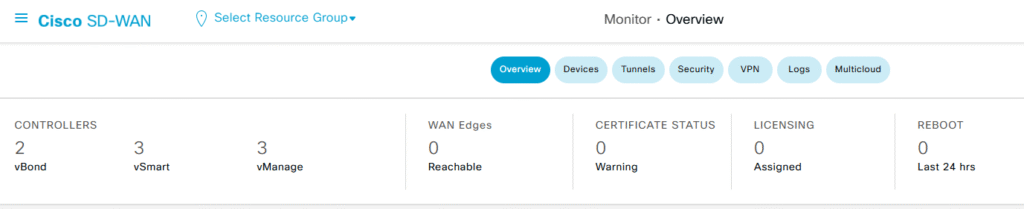
There we go! We have all three devices configured and ready to go to add them to the controller, if you already read my previous two post you will figure out how actually look like my SD-WAN Manager overview now, but if not. below you will find it, now I just have three Managers and two Orchestrator on it.

Step 1 – Adding Controllers to the Manager
Adding more controllers to our environment does not requiere to many steps further that we already did in my previos post, what that means in a few words? Add the controller, generate the CSR certificate, sign it and finally install it and you are done!
With that being said I will proceed…
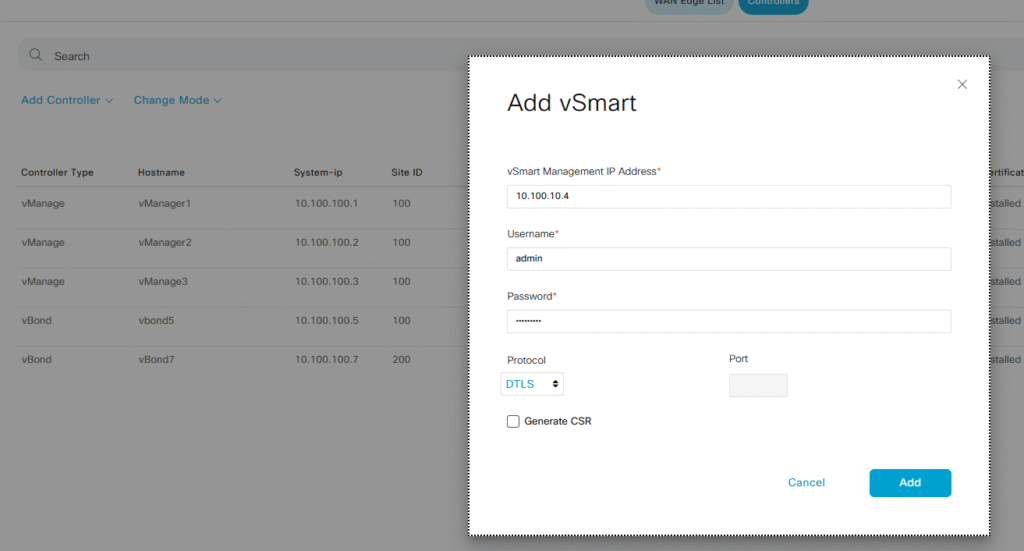
Configuration > Devices > Controllers > Add Controller > vSmart
Following what I did on my previous post, I will use the IP address used on my VPN 0 to add the controller, and I will leave by default the protocol used to establish the connections (DTLS).
note: I will follow the same steps already done with the other two controllers
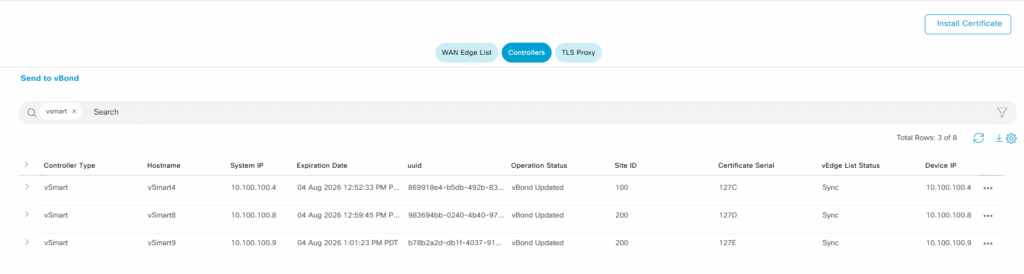
Once all of them are added to my Manager, we will have something like the screenshot below, but we need to follow the second step in order to complete the process.
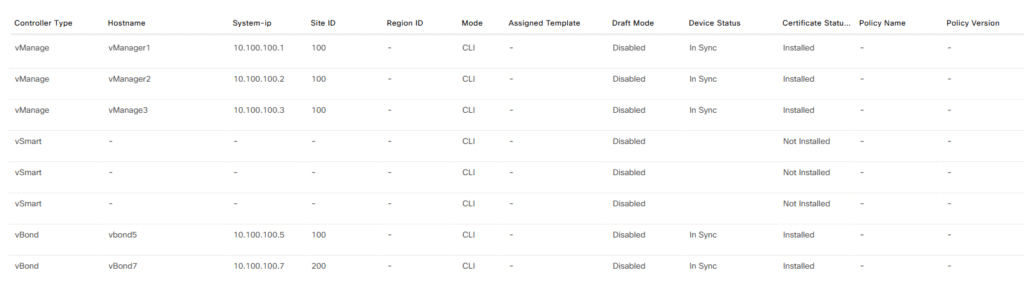
Step 2 – Generate CSR and Install Certificate
Now, our three Controllers are around my Manager, but we need to generate and sign the certificate if I want to allow my three Controllers part of my SD-WAN environment, let’s generate, sign and install the certificates.
Follow the path Configuration > Certificates > Controllers and generate the CSR file
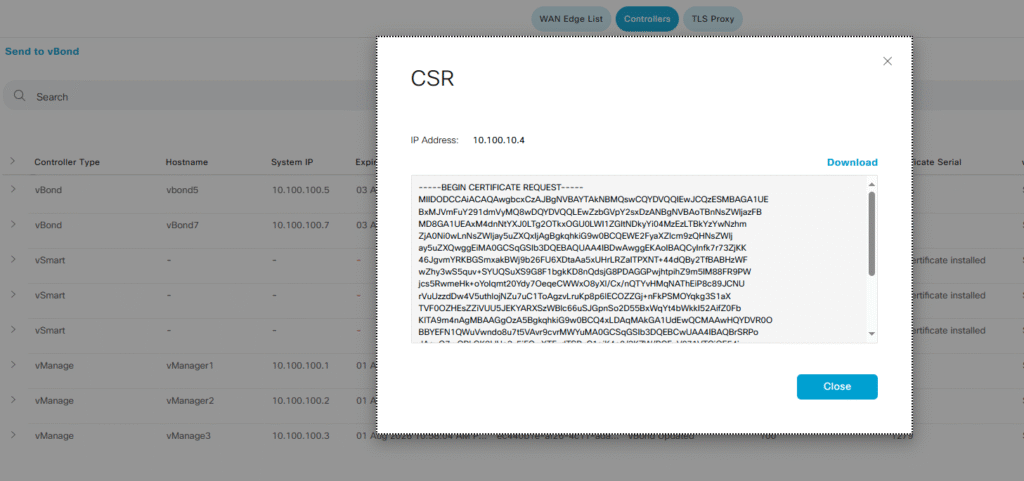
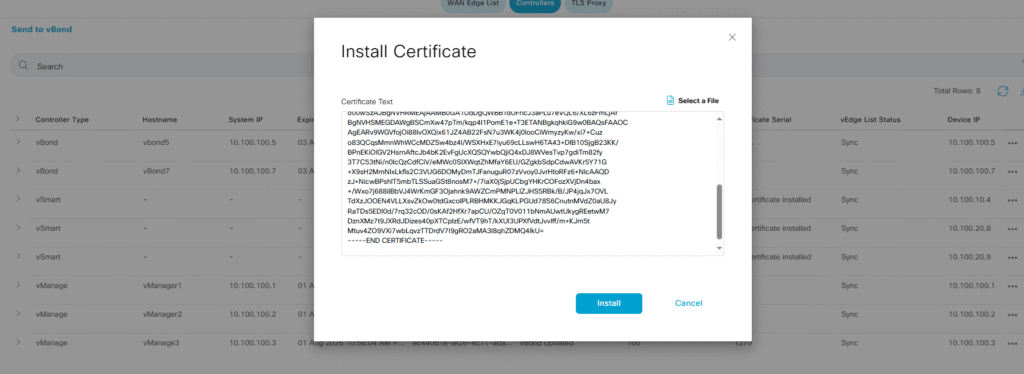
I already signed the certificate on my root CA (I am using open SSL for it), finally select the install option on my Manager
After a few seconds or minutes the Manager will process the certificate and it will send this information our vBonds allowing to the new Controller being part of the infrastructure.
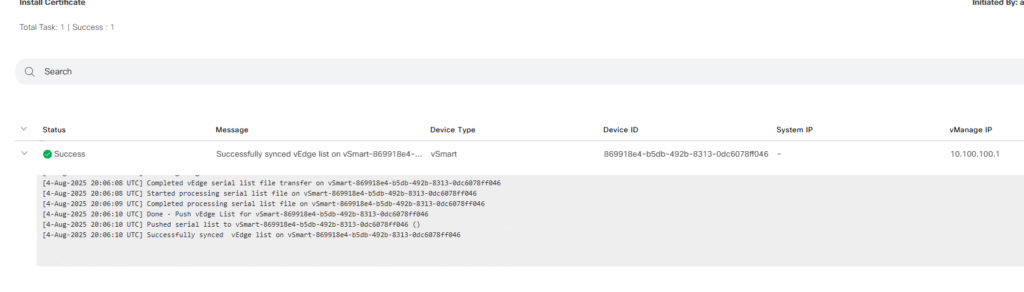

I will follow the same previos steps with each new Controller. Once all the previos steps are done we will have all three Controllers up and running in our environment.
Step 3 – Verifications
Taaaadaaa!! We finally have almost done with our goal, all three Controllers are working in my SD-WAN environment and now we will have take a look for a few CLI outputs
let’s see what we have in all our Controller… Using the show control connections command, we will be able to see all the DTL/TLS connections established in our Controllers.



As we can see in the three screenshots above, our three Controllers have established DTLS sessions with each other controllers, in this case we have one connection towards each Controller, two connections towards each Orchestrator (each per Controller CPU) and one connection with each Manager.
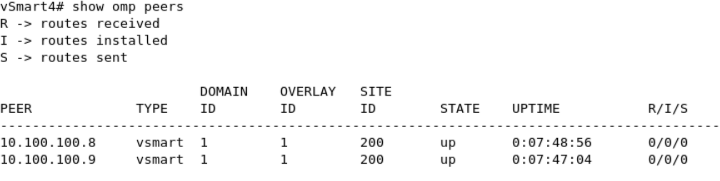
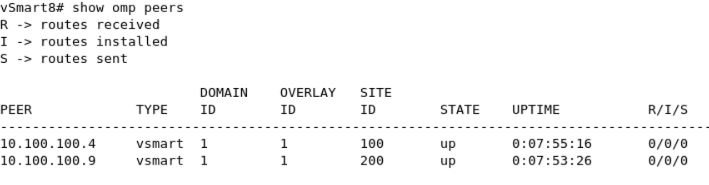
All the Controllers works together quite similar a route reflector does, in order to do that they use a new protocol called OMP (Overlay Management Protocol), and all the Controllers will establish an OMP session against all of them forming a full mesh connection.
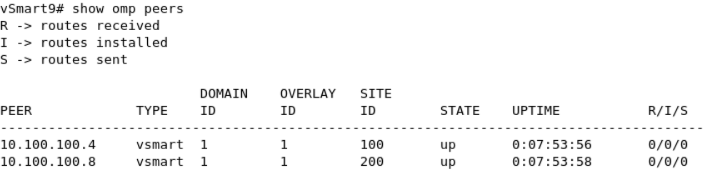
That’s it! With this setup we have all three Managers, two Orchestrators and three Controllers working together and now we are ready to go into the details about how this platform works when we have Edges in place. In my next post I will add one Edge to my topology, also I am planning to configure the Control group and affinity features in order to make more predictable about which controllers will be used by the Edges at the moment of establishing the DTL connections.